






How to Get a Free AWS Account to Build Projects (No Credit Card Required)
If you’ve been waiting to learn AWS but didn’t want to create an account or add a credit card, AWS has made it much easier.
As of July 8, 2026, AWS Builder Center allows eligible users to request a free sandbox environment directly from supported workshops. This gives you temporary access to a real AWS account at no cost, without a credit card, and with everything automatically cleaned up when your session ends.
Whether you’re a student, career switcher, or cloud enthusiast, this is one of the easiest ways to gain hands-on AWS experience.
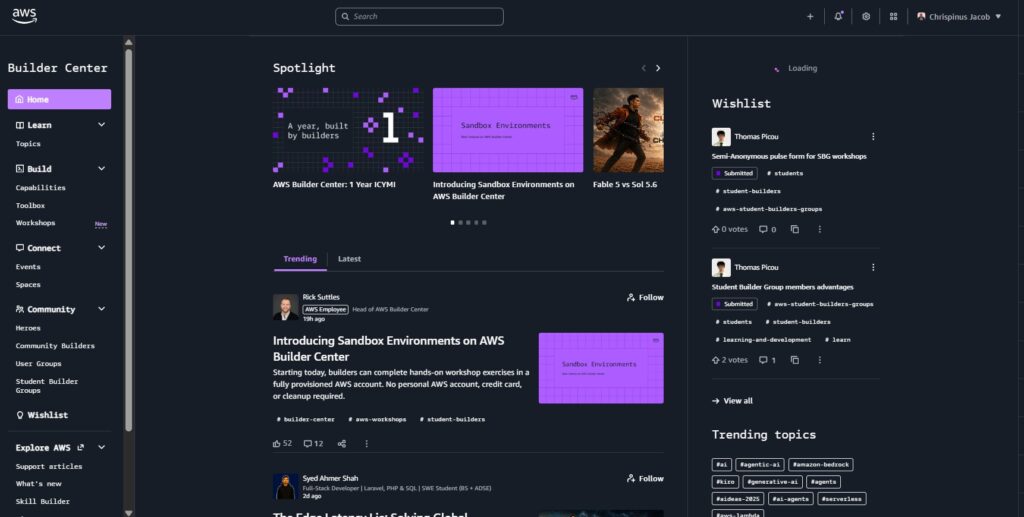
What Is the AWS Builder Center Sandbox?
The AWS Builder Center Sandbox is a temporary AWS environment provided through selected Builder Center workshops.
Instead of using your own AWS account, AWS creates a fully managed sandbox account that lets you complete guided labs safely without worrying about charges or accidentally leaving resources running.
Each sandbox remains active for up to 8 hours before it is automatically deleted.
What’s New?
Previously, most AWS workshops required participants to bring their own AWS account, which often meant creating an account and adding billing information.
With the new sandbox experience, AWS handles everything for you.
| Feature | Before | Now |
|---|---|---|
| AWS Account | Bring your own | AWS provides one |
| Credit Card | Usually required | Not required |
| Cost | You manage billing | Completely free |
| Resource Cleanup | Manual | Automatic |
| Getting Started | Create account first | Request sandbox and begin |
At launch, only selected workshops support sandbox environments, with more expected to be added over time.
What You Get
When you request a sandbox, AWS provides:
- A real AWS account for the selected workshop
- Guided hands-on labs
- Pre-configured AWS resources for many workshops
- Temporary IAM permissions required for the lab
- Access to the AWS Management Console
- Automatic cleanup after your session ends
Limitations
Before requesting a sandbox, keep these important limits in mind:
- Your sandbox lasts 8 hours
- The timer starts once AWS finishes preparing the environment
- Only one active sandbox is allowed at a time
- You can request one sandbox per week
- Weekly limits reset every Sunday
- Permissions are limited to the workshop resources
- All resources are deleted automatically after expiration
Because of these limits, it’s best to choose a workshop you can complete in a single session.
Who Should Use It?
The AWS Builder Center Sandbox is ideal for:
- Students learning AWS
- Beginners who don’t have an AWS account
- Career switchers exploring cloud computing
- Developers testing AWS workshops
- Anyone who wants to avoid unexpected AWS charges
If you’re building a long-term personal or production project, you’ll still need your own AWS account.
How to Get Your Free AWS Sandbox
Step 1: Sign in to AWS Builder Center
Visit https://builder.aws.com and sign in using your AWS Builder ID.
If you don’t already have one, creating a Builder ID is free and does not require a credit card.
Step 2: Browse Available Workshops
After signing in:
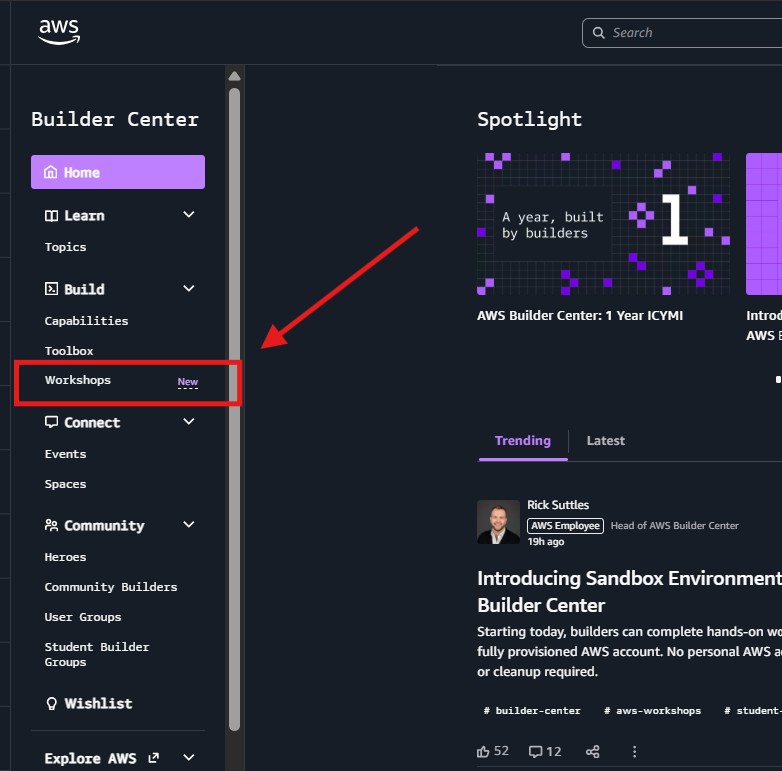
- Open Workshops
- Browse the available workshops
- Use filters to find topics that interest you
- Open a workshop that supports the free sandbox feature
Not every workshop currently offers sandbox environments.
Step 3: Request a Free Sandbox
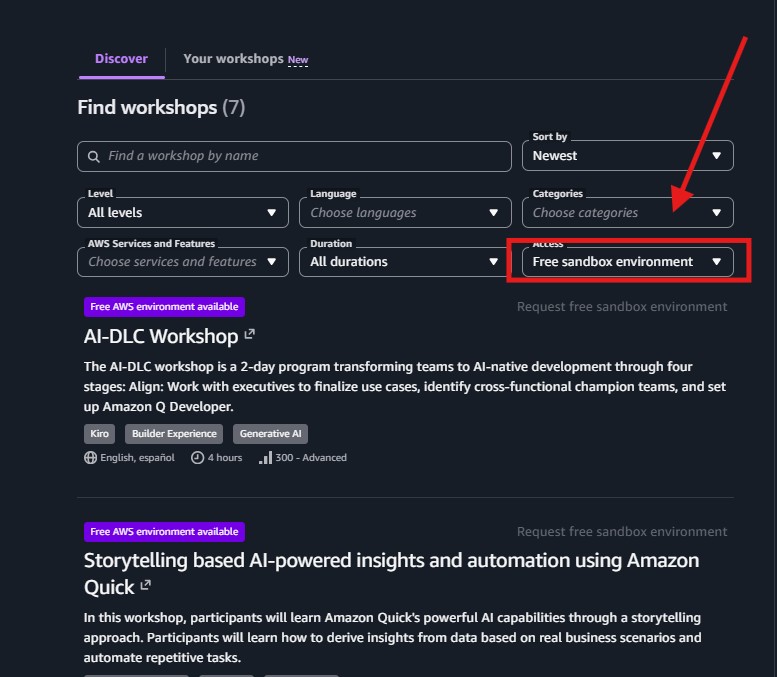
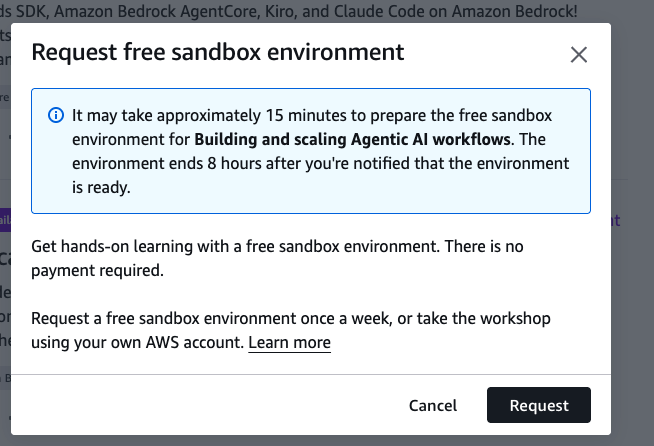
Request free sandbox environment
Then confirm your request.
AWS will begin preparing your environment.
Provisioning typically takes around 15 minutes, although it may vary depending on demand.
During this time, AWS sends notifications to let you know when your sandbox is ready.
Step 4: Launch Your Workshop
Once your sandbox is ready:
- Open Your Workshops
- Select Go to Free Sandbox Environment
- Accept the workshop terms
- Request your access code
- Enter the code when prompted
After verification, you’ll enter the workshop dashboard where you can begin the guided labs.
Step 5: Open the AWS Console
Inside the workshop, navigate to the first lab and launch the AWS Management Console.
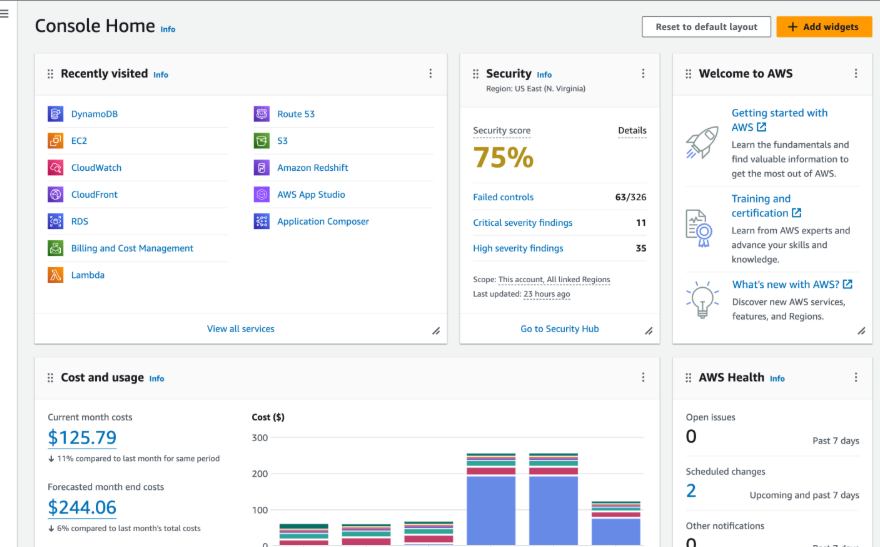
Most workshops already have the required infrastructure deployed, allowing you to focus on learning instead of setup.
From this point, you’re working inside a real AWS environment—without worrying about costs or cleanup.
Common Questions
I don’t see the “Request free sandbox environment” button.
Only selected workshops currently support sandbox environments. Try opening another workshop.
My sandbox is still preparing.
Provisioning usually takes about 15 minutes. Refresh Your Workshops after waiting a little longer.
I didn’t receive my access code.
Check your spam folder and verify that you entered the correct email address or Builder ID.
I reached the weekly limit.
AWS currently allows one sandbox request per week. Your quota resets every Sunday.
Getting Started
Ready to build on AWS for free?
Follow these steps:
- Visit https://builder.aws.com
- Sign in with your AWS Builder ID
- Open Workshops
- Choose a workshop with sandbox support
- Request your free sandbox
- Launch the AWS Console and start building
💡 If you found this article useful, please rate it, leave a comment, and share it with your friends or colleagues who might be interested in tech learning opportunities.